
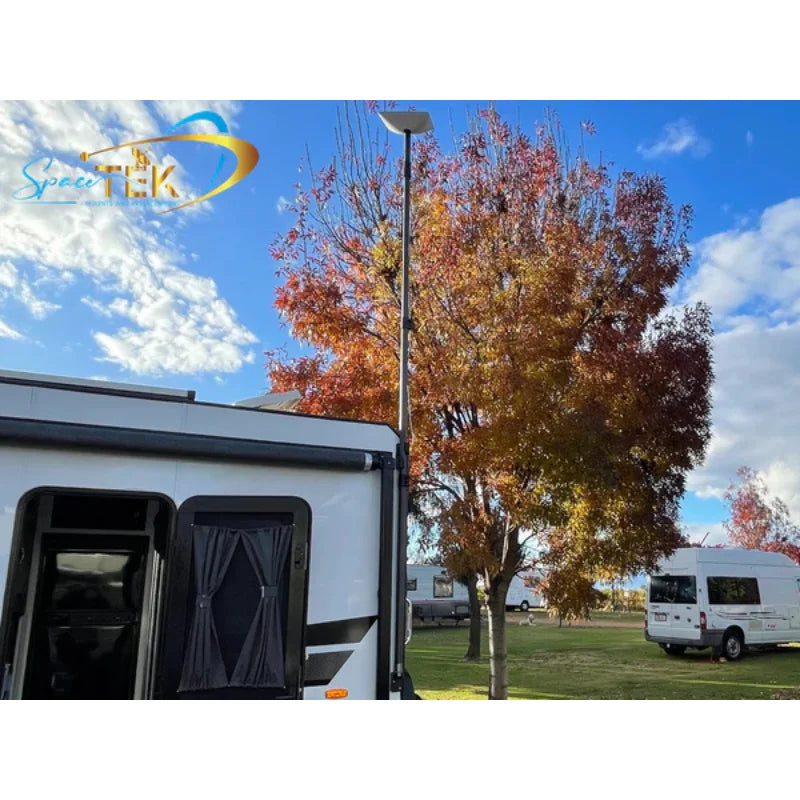
Planning an RV, travel trailer or pickup-truck camping setup in the United States or Canada? Start with your exact Starlink model, where you will use it while parked, and how the mount will attach to your vehicle. A suitable mount helps keep the terminal secure and positioned with a clear view of the sky. Mount selection does not establish Starlink service availability, an appropriate service plan or permission to use the terminal while driving.
Key Takeaways
- A quality Starlink dish mount keeps your terminal elevated, secure, and positioned with a clearer view of the sky.
- The best mount style depends on how you travel, where you camp, and whether you need a temporary, semi-permanent, or roof-mounted setup.
- Aluminum, stainless hardware, and reinforced composite parts are better suited to heat, UV, dust, and corrugated roads than cheap plastic alternatives.
- DC-to-DC StarPower kits can make off-grid Starlink setups more efficient than running through a standard AC inverter.
- Spacetek is an Australian Starlink accessory specialist. Product compatibility, mounting requirements and included parts vary by model.
For RV travel and overlanding in the United States and Canada, plan your setup around the places you stop rather than an assumed route or a promise of coverage. Check current Starlink service and plan requirements for your destination. At each campsite, use the Starlink app to check for obstructions before choosing the terminal position.
The terminal stored inside your vehicle still needs a suitable operating position. Getting it mounted securely, safely, and away from obstructions is what separates a solid connection from frustrating dropouts.
An RV or travel trailer may need a dedicated mounting position for satellite internet. Roofs get scorching hot, corrugated roads rattle gear loose, and coastal weather can be hard on exposed equipment. Choosing the right Starlink dish mount for your setup helps protect your investment and keeps your connection more dependable wherever the road takes you.
SpaceTek Australia specializes in Australian-designed Starlink RV and travel trailer mounts, StarPower DC power supplies, cables, and Starlink Mini off-grid gear with model-specific mounting options. Australian design origin does not establish a US or Canadian certification, weather rating or local installation service.
What Is a Starlink RV Dish Mount and Why Do You Need One?
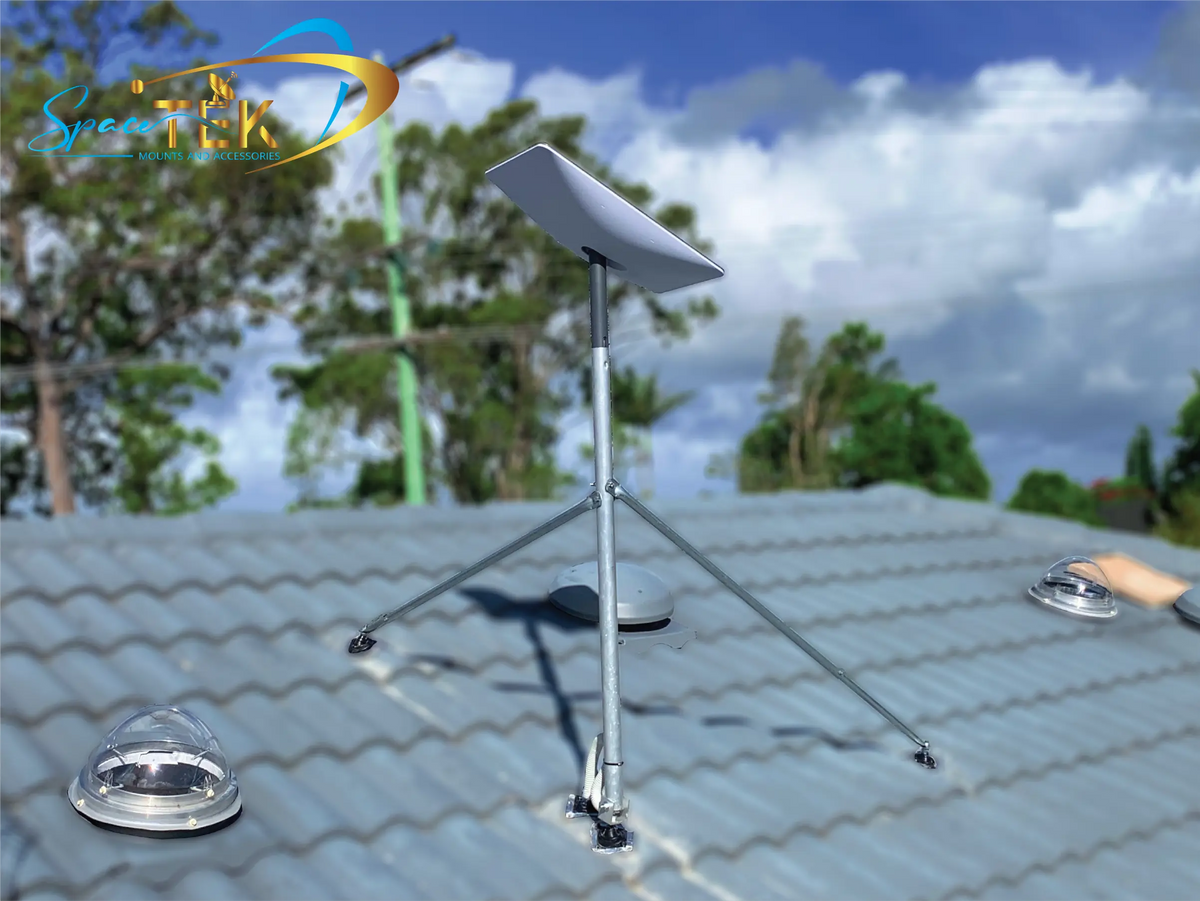
When you buy a Starlink kit, it comes with a basic ground stand. That might be fine for a neat suburban lawn, but it is not ideal when you are living the RV life. A dedicated Starlink RV dish mount is designed to temporarily or permanently secure your Starlink terminal to your RV, motorhome, camper, or tow vehicle.
A dedicated Starlink mount keeps your dish elevated, safer from ground hazards, and better positioned to capture a clear signal. At camp, ground-level setups can be exposed to wandering wildlife, curious kids, kicked-up dirt, mud, and damp ground. Elevating the dish helps keep your high-speed internet running smoothly and makes it easier to get the performance you are paying for without constant interruptions. This matters because satellite internet technology relies on a clear line of sight to orbiting spacecraft.
Road vibration, washboard surfaces and campsite access conditions make secure attachment and regular inspections important. Whether you are off-road driving or on an overlanding trip, do not treat the travel setting as evidence that a mount, terminal or installation is suitable for use while moving.
To understand the broader setup, read our guide to Starlink for RV setups.
How Do You Choose the Right Starlink Dish Mount for Your Setup?
A motorhome, towable travel trailer, camper van and pickup truck can have very different roof materials and mounting points. Decide whether you need a temporary setup for a short stop or a fixed installation, then check the vehicle structure and the exact mount instructions.
For the fast-moving tourer, a semi-permanent or quick-release roof mount can make life much easier. You can pull into camp, attach the dish, and get online without unpacking half the van. If you often camp under shade, a temporary pole mount that can be set up away from the RV may be a better choice.
Security matters too. Once your vehicle is moving, wind load increases quickly. A mount that is fine at a standstill may not be suitable for highway travel unless it is designed for that use. Choosing a SpaceTek Starlink mount that suits your dish model and travel style is the safest way to protect your gear.
For more detail, see our guide to Starlink RV mounts for travelers.
How Does a Quality Starlink Dish Mount Help Reduce Heat Problems?
One challenge that often gets overlooked is heat. RV rooftops can become extremely hot in direct summer sun, especially during inland trips. If your Starlink dish is mounted hard against a hot surface with limited airflow, heat can build up around the unit and affect reliability.

This is where material choice matters. Some plastic or low-grade mounting options can trap heat around the base of the dish. SpaceTek Starlink mounts use precision-machined or folded aluminum and reinforced composite components, rather than 3D-printed parts, to support durability and better heat management in exposed outdoor conditions.
Which Starlink Mount Styles Suit RV Travel and Overlanding?
Compare the mounting surface, your Starlink terminal and parked-versus-driving use before selecting a mount. Do not assume a magnetic or suction mount is suitable for every roof, road or vehicle speed.
Heavy-Duty Magnetic Roof Mounts
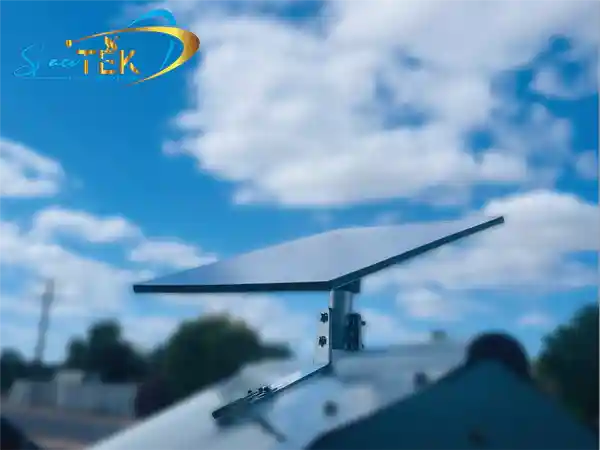
For travelers with steel-roofed RVs, camper vans, or tow vehicles, magnetic roof mounts are a practical option. They use strong, rubber-coated magnets that grip suitable steel surfaces securely.
- The pros: No drilling required, fast to set up, and easy to reposition.
- The cons: Only works on magnetic steel surfaces, unless suitable adhesive metal landing discs are used on non-steel surfaces.
- Travel note: Clean the roof surface before fitting the mount, remove dust and grit, and confirm the mount is suitable for your intended use.
Telescopic Carbon Fiber Pole Mounts
If you like camping under trees but still want a clear satellite view, a telescopic pole mount can be a smart choice. It lets you lift the dish above the roofline or move it to a better position around camp.
SpaceTek telescopic pole mounts use carbon fiber for a strong, lightweight setup that is easy to extend, pack away, and handle at camp. For the Spacetek telescopic kit, use the supplied mounting arrangement and the installation instructions for the selected model and substrate. Do not assume an RV hitch, tongue jack or bumper is a suitable attachment point without checking the structure.
For a practical walkthrough, read the Starlink mount installation guide.
Suction Cup and Temporary Starlink Mounts
For weekend travelers, part-time campers, or anyone using a rental vehicle, temporary Starlink mounts such as heavy-duty suction cups can be handy. The High-Adhesion Suction Cup Windshield Mount for Starlink Mini requires smooth, clean glass and is intended for stationary setups only.
Suction cups are temporary and must be checked regularly. Dirt, oils and high cabin temperatures can reduce adhesion. Remove the Mini suction mount and terminal before driving; do not use this mount in motion.
How Do You Install Your Starlink Dish Mount on an RV or Travel Trailer?
Installing a Starlink mount is easier when you take it slowly and think through the location before you start. Whether you are choosing a permanent roof setup or a flexible pole mount, the goal is the same: keep the dish secure, weather-protected, and clear of obstructions.
Before you begin, gather the basics:
- Isopropyl alcohol for cleaning surfaces.
- The adhesive specified for the selected mount and roof substrate, if an adhesive installation is supported.
- Stainless steel fasteners if drilling is required.
- Cordless drill and drill bits if applicable.
- A compatible sealant specified for the roof material and installation.
- Cable ties or split conduit for cable management.
How Do You Install a Telescopic Pole Mount?
Treat pole installation as model-specific. The Spacetek kit includes the pole, the adapter for your chosen Starlink terminal and the selected mounting hardware. Follow its instructions rather than a generic hitch or bumper mounting method.
- Select the mounting point: Choose a structurally suitable position for the supplied brackets and the selected installation substrate.
- Position the clamps: Follow the kit’s bracket placement instructions and confirm that the supporting structure is suitable.
- Secure the clamps: Follow the kit and substrate instructions for fixings, adhesive and sealing. Allow any adhesive to cure fully before installing the pole.
- Insert the pole: Install the pole into its supports and secure the locking mechanisms as instructed for the kit.
- Attach the dish: Fit the adapter supplied for the selected Mini, Gen 2 or Standard (Gen 3 / V4) variant and secure the terminal as instructed.
- Route the cable: Run the Starlink cable down the pole, leaving a small loop of slack at the top as a drip loop so rain does not run directly into the connection port. Secure the cable with reusable hook-and-loop straps.
How Do You Install a No-Drill Adhesive Starlink Mount?
If you have a modern composite or fiberglass RV roof, drilling holes can increase the risk of future water leaks. A no-drill adhesive Starlink mount can be a cleaner alternative when it is installed properly.
- Prep the surface: Clean the underside of the aluminum mount base and the RV roof thoroughly with isopropyl alcohol. Dust, wax, or grease can weaken the adhesive bond.
- Apply adhesive: Use only an adhesive and application pattern suitable for the selected mount and substrate, following both manufacturers’ instructions.
- Press and position: Press the mount firmly onto the roof in your chosen location. Keep it away from air conditioning units, roof hatches, and solar panels that could cause signal obstructions.
- Allow cure time: Let the adhesive cure completely before attaching the dish or traveling, following the adhesive manufacturer’s instructions.
Why Are DC Power Solutions and StarPower Kits Useful for Off-Grid RV Travel?
When you are camping off-grid, power conservation matters. An inverter-based installation converts battery DC power to AC before the Starlink power supply converts it back to DC. A suitable model-specific DC supply can avoid that extra conversion stage. Match the input range, output requirements, connector and installation instructions; a 12V or 24V battery label alone does not establish compatibility.
SpaceTek’s StarPower range of DC-to-DC power supplies is designed to help off-grid travelers run Starlink more efficiently from an RV battery system. These smart units support a cleaner DC power pathway, helping reduce unnecessary power draw and make better use of your house batteries.
By using a DC-to-DC booster and, in suitable custom setups, bypassing the factory Starlink router, you can minimize power loss. That means more efficient internet at camp and more usable battery capacity for the fridge, lights, fans, and water pumps.
SpaceTek also supports compact Starlink Mini off-grid setups with portable camping accessories, mobility mounts, suction mounts, cables, and DC power gear for RVs, pickup trucks, campers and 4WD travel.
For compact setups, the Starlink Mini mounting guide is a useful next read.
What Are the Most Common Questions About Starlink RV Mounts?
Before an RV trip or an overlanding journey, check the complete system: terminal model, mount, supporting structure, cable routing, power supply and service plan. The following questions help separate accessory choice from installation and service requirements.
Do Aftermarket Starlink Mounts Affect the Official Warranty?
Consult the current Starlink warranty terms for your hardware; this guide does not determine warranty eligibility. A well-designed Starlink mount should not require you to cut, drill, or physically modify the dish itself. SpaceTek mounts are precision-engineered to cradle or support the dish using native mounting points or standard pipe adapters where applicable. Avoid cheap, poorly fitting mounts that pinch, twist, or stress the plastic casing of your dish.
Can I Leave My Starlink Dish Mounted While Driving?
Do not infer driving suitability from a product photo, an RV use case or the words off-road or overlanding. The High-Adhesion Suction Cup Windshield Mount is stationary-only. Pack the telescopic pole and terminal away before driving. Any fixed vehicle setup must satisfy the exact mount instructions, vehicle attachment requirements, Starlink hardware requirements and applicable service-plan conditions. A V-Cell enclosure is not a structural mount by itself.
How Should I Assess Weather Exposure?
Check the exact product’s material, sealing and installation limits. Australian origin is not a substitute for product-specific suitability in US or Canadian weather. Do not use the telescopic pole in unsafe wind or storm conditions. For a V-Cell enclosure, gasket, fastener and cable-entry installation are critical; choose structural mounting hardware separately.
Choose a Mount for Your Vehicle and Starlink Model
A practical US or Canadian RV setup starts with the exact terminal, an appropriate mount and a suitable power system. If the dish is loose, shaded, too hot, or awkward to set up, the whole experience becomes harder than it needs to be.
A premium, Australian-designed Starlink RV dish mount from SpaceTek helps keep your dish secure, your cable setup tidy, and your connection more reliable through corrugations, heat, and changing camp conditions.
For an off-grid installation, choose cables and power accessories matched to the exact terminal and battery system. Not every StarPower product is a DC-to-DC supply; check the individual listing rather than assuming the same input and output requirements across the range.
Explore Spacetek mounts, cables and model-specific power accessories, then check compatibility and installation requirements before ordering. Spacetek is based in Australia; this guide does not promise US or Canadian local installation, local fulfillment or delivery times.

Leave a comment
This site is protected by hCaptcha and the hCaptcha Privacy Policy and Terms of Service apply.