

If you are dealing with a weather-related Starlink interruption, start with the app, check that the power and cables are secure once it is safe, clear visible debris from the dish, and then restart the system. Most interruptions are temporary, but a quick, sensible check can help you tell rain fade from a local hardware issue.
Key Takeaways
- Heavy rain can briefly weaken the satellite signal, while strong wind can shift an insecure dish mount or bend branches into the dish’s view.
- Do not climb onto a roof or handle damaged electrical equipment while severe weather is active.
- Use the Starlink app to check for outage, obstruction, searching, or cable alerts before inspecting hardware.
- Once conditions are safe, check connections from the ground, clear accessible debris, and power cycle the system.
- Persistent dropouts after the weather clears can point to a cable, power, obstruction, or mounting issue.
Why Does Starlink Signal Loss Occur During a Storm?
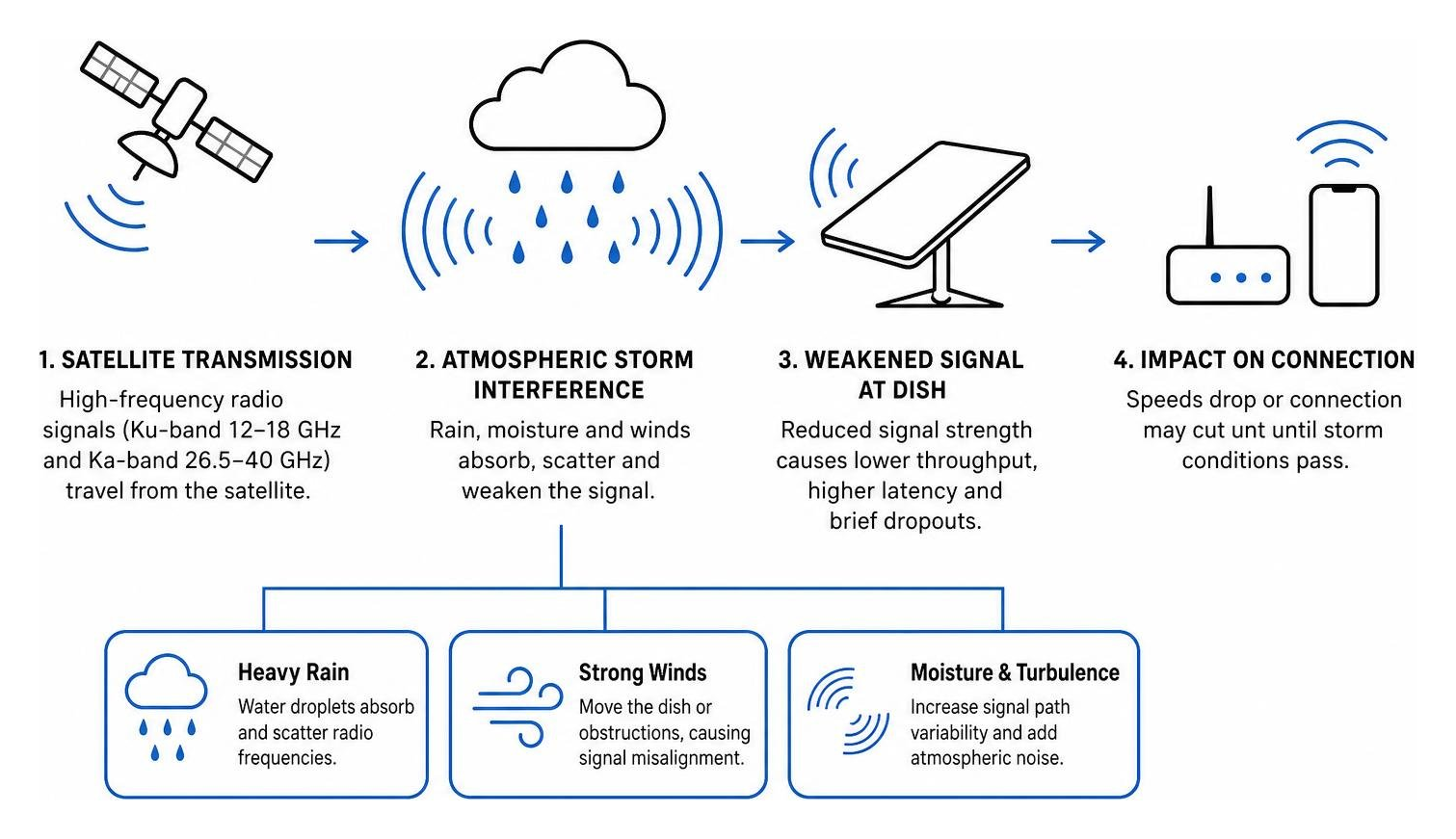
When a big storm rolls across Australia, it is normal to notice slower speeds or a brief Starlink dropout. In most cases, the issue comes down to how high-frequency satellite signals travel through heavy rain, wind, and disturbed upper-atmosphere conditions.
Starlink uses high-frequency radio bands, including Ku-band and Ka-band, to send data between the dish and satellites overhead. Those signals carry plenty of data, but they can be affected by dense moisture in the air, extreme wind around the installation, and occasional space-weather events.
| Weather Condition | Primary Cause of Disruption | Typical Impact on Connection | Recovery Time |
|---|---|---|---|
| Heavy Rain / Downpours | Water droplet absorption and scatter | Slower speeds and brief dropouts | Usually clears as the heaviest rain passes |
| Gale-Force Winds | Dish mount flex and structural vibration | Intermittent packet loss or searching loops | Often improves once the mast is stable |
| Geomagnetic Storms | Ionospheric disturbance | Higher latency and packet loss | Can last from minutes to hours |
| Snow and Hail | Surface accumulation and thick atmospheric scatter | Signal attenuation or a complete interruption | Improves when the surface and sky clear |
How Does Atmospheric Moisture Cause Signal Loss?
The main reason for a dropped connection in wet weather is rain fade. Put simply, water droplets in the air absorb and scatter some of the microwave signal before it reaches the dish.
A light shower usually has little noticeable effect. A tropical downpour or a dense storm front, however, can create enough moisture to interrupt the signal for a short time. That is why Starlink can lose connection during the heaviest part of a squall and recover once the rain eases.
Starlink satellites operate in low Earth orbit, much closer than traditional geostationary satellites. The signal travels through less atmosphere, which generally helps reduce the effect of rain fade, although a particularly dense storm cloud can still interrupt service temporarily.
Can High Winds and Physical Shifts Cause Signal Loss?
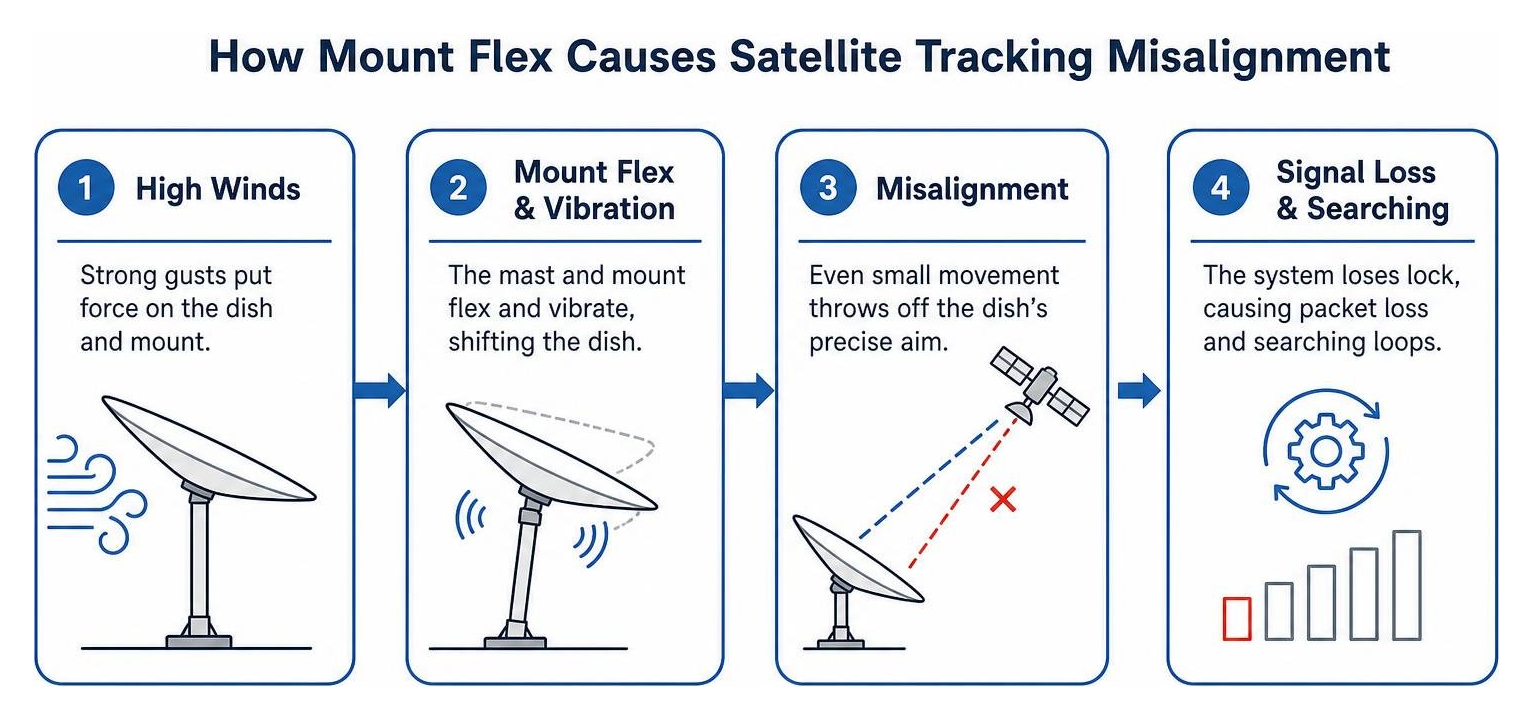
Wind does not blow the radio signal off course, but it can put real strain on an outdoor installation. The dish needs a stable base to keep tracking satellites reliably.
If the dish is fitted to a flexible pole or a poorly secured dish mount, strong gusts can create vibration and mast sway. Even small movements can make tracking less reliable, leading to packet loss, searching messages, or dropped video calls.
Can Geomagnetic Disturbances and Space Weather Affect Connections?
Not every storm happens in the lower atmosphere. Severe solar activity can disturb the upper atmosphere and affect satellite communications for a short period.
Research on satellite-network performance during severe geomagnetic storms suggests that these events can increase packet loss, reduce throughput, and cause temporary connection instability. These events are less common than rain fade or a loose installation, but they can contribute to a Starlink outage during major space-weather activity.
How Can You Tell a Satellite Outage From a Hardware Fault?
When your internet drops out during a storm, the first job is working out whether the weather is blocking the signal or whether something at home has been affected. The Starlink app gives you a useful starting point before you inspect any equipment.
Open the Starlink app and look for the diagnostic message on the main dashboard:
- Searching: The dish has power but cannot establish a clean connection with a satellite.
- Offline / Disconnected: The router cannot communicate with the dish, which can indicate a power issue, unplugged cable, or damaged component.
- Obstructed: Something is blocking the dish’s field of view.
- Poor Cable Connection: The system has detected signal loss or a voltage drop across the data cable.
These messages help you work out whether you are dealing with temporary weather attenuation or a local hardware problem.
How Do You Check the Starlink App for Obstructions and Status?
Use the app’s obstruction tool to see whether wind-blown branches or storm debris have moved into the dish’s line of sight. A clear installation can become obstructed quickly when strong wind bends tall trees into the viewing area.
It is also worth checking the latency and uptime graphs. Brief spikes that line up with the heaviest rain are more likely to be rain fade. If the dropouts continue long after the weather has cleared, turn your attention to the local power supply, cables, and dish mount.
What Should You Inspect on the Power Supply and Cables?
Storms can cause local power interruptions, tripped breakers, and voltage surges. If the router has no lights, check the switchboard first and make sure the indoor equipment is dry.
Once it is safe, look over exposed cable entry points and connectors for moisture, cracking, or obvious damage. Damp or damaged connectors can stop the dish from booting, so keep electronic components dry and ensure every connection is seated securely.
What Steps Can Restore Your Starlink Connection After a Storm?
Once the thunder has passed and it is safe to go outside, work through these checks in order. Take your time and stay on the ground where possible.

Step 1: Power Cycle the Network Hardware
A restart can clear a temporary fault after an unexpected outage.
- Unplug the Starlink power cable from the wall outlet or DC power supply.
- Leave the system unpowered for at least 60 seconds.
- Plug the power source back in firmly.
- Allow several minutes for the dish to restart, complete its self-check, and reconnect to the satellite network.
Step 2: Check the Dish Position and Clear Safe-to-Reach Obstructions
If the system is still searching, carry out a visual safety check from the ground.
- Look for leaves, branches, or hail build-up on the dish.
- Check whether the dish mast has slipped, twisted, or tilted.
- If debris is accessible and conditions are dry and safe, clear it with a soft, non-abrasive pole.
- For motorised Gen 2 models, use the app to stow and unstow the dish so it can recalibrate its position.
Step 3: Inspect Cables and Weatherproof Seals
Strong wind can move unsecured cables against a roof or wall, which can damage the outer jacket or loosen a connector.
- Disconnect the main data cable from the dish base and indoor power unit.
- Check the rubber grommets and connector pins for dirt, grit, corrosion, or moisture.
- If the contacts are dry and dirty, use an electrical contact cleaner as directed on the product label.
- Re-seat the connectors with firm, even pressure until they are properly secured.
- Replace a cable with a torn jacket or exposed wires to help avoid further port damage.
How Can You Protect Starlink Hardware Before the Next Storm?
The best way to reduce weather-related issues is to prepare before the next storm arrives. A stable installation and reliable power setup can help your dish keep tracking properly when conditions turn rough.
Why Upgrade to a Rigid, Weather-Resistant Dish Mount?
Lightweight or poorly secured mounts can flex in strong wind and harsh UV conditions. A heavy-duty, Australian-designed Starlink mount gives the dish a more stable base through gusty weather.
When choosing a dish mount, look for materials designed for outdoor use:
- Folded and precision-machined aluminium for strong support without unnecessary weight on a roof or caravan rack.
- Reinforced composite adapters that help reduce vibration and provide a secure fit around the dish mast.
- Rust-resistant hardware suited to coastal air and long-term outdoor exposure.
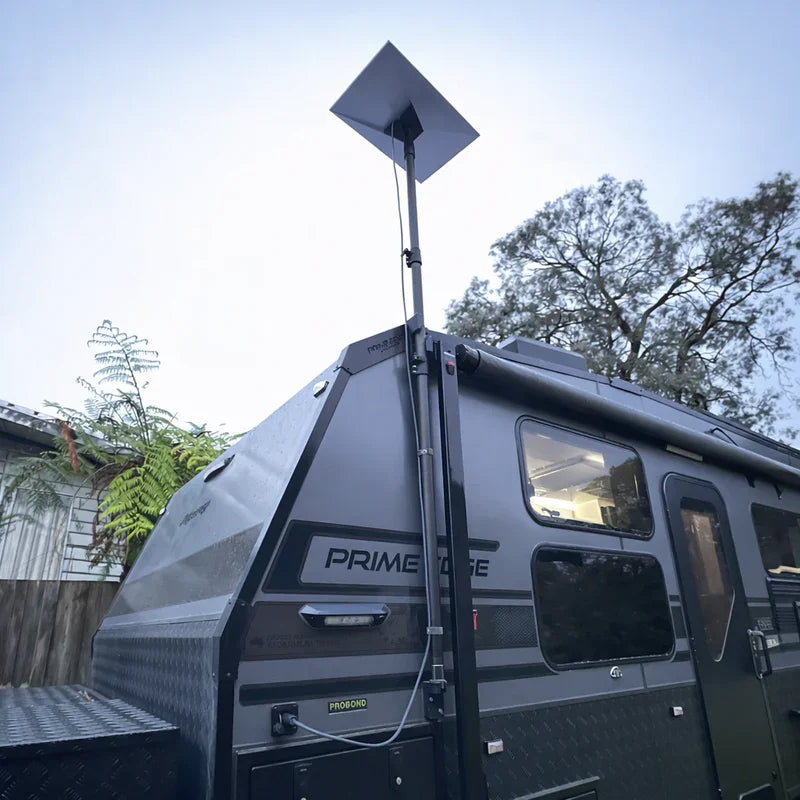
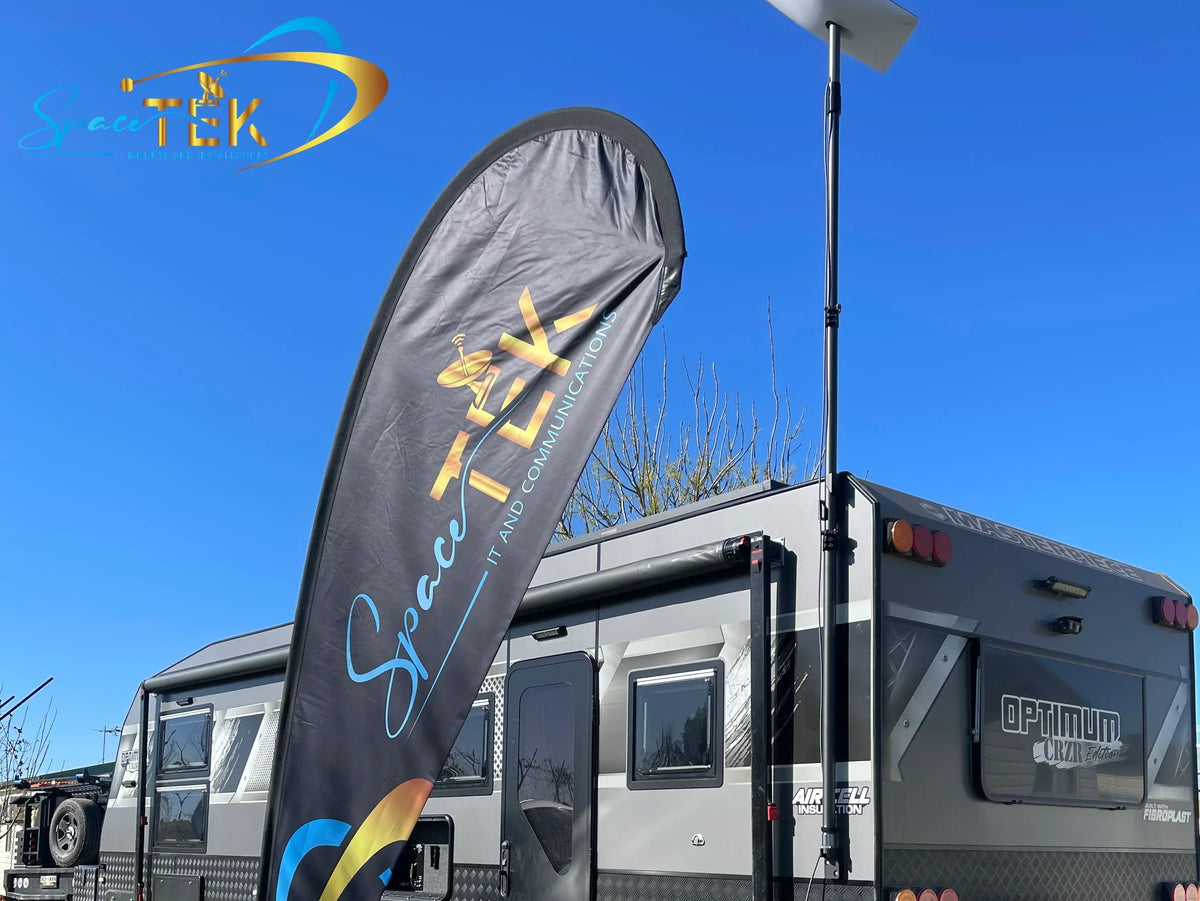
SpaceTek Australia designs Starlink mounts for roofs, building facades, caravans, and vehicle setups. Whether you are setting up a remote home or an off-grid caravan, a rigid mount can help minimise mast flex and support reliable satellite tracking. Explore Custom Starlink Mounts and Accessories for fixed installations, Starlink Mini Portable Mounts and Accessories for travel, or Contact the SpaceTek Team for tailored advice.
Why Consider a Direct DC Power System?
Running Starlink through an AC inverter in a caravan, four-wheel drive, or remote property can add an extra conversion step and make an off-grid setup more dependent on the inverter. SpaceTek StarPower V2 and V3 DC power supplies use direct DC-to-DC conversion for practical off-grid benefits:
- Higher efficiency by avoiding the additional AC conversion step.
- Lower draw to help preserve auxiliary battery capacity.
- A clean router bypass option for custom router setups and native DC configurations.
- Reliable DC power delivery for sensitive dish electronics in rough weather.
SpaceTek’s StarPower range is built for reliable power management in demanding Australian off-grid conditions.
Frequently Asked Questions About Starlink in Stormy Weather
Can Heavy Rain Permanently Damage a Starlink Dish?
Heavy rain does not usually damage a correctly installed Starlink dish. The hardware is designed for outdoor conditions, but moisture can still cause trouble if it gets into an unsealed cable connection. After a storm, make sure weather seals are seated correctly and connectors are dry before handling them.
How Long Does Rain Fade Usually Last?
Rain fade is normally short-lived. The interruption often lasts only while the heaviest rain sits in the dish’s line of sight, then service improves as the downpour eases. In many Australian storms, that can mean a few minutes rather than a long outage.
Why Can Starlink Drop Out When Other Internet Keeps Working?
Fixed terrestrial services, such as underground fibre, are largely protected from the weather above ground. Starlink relies on a clear microwave path between the dish and satellites, so dense storm clouds can temporarily weaken the signal. Local power failures can affect either type of service.
Keep Your Starlink Setup Ready for Rough Weather
A Starlink dropout during a wild storm is frustrating, but it does not always mean the hardware has failed. By checking the Starlink app, understanding rain fade, and following a safe restart process, you can usually narrow down the cause and get back online once conditions improve.
To help reduce future weather interruptions, make sure the dish is supported by a stable, well-secured mounting setup. SpaceTek Australia makes rust-resistant dish mounts from precision-machined or folded aluminium and reinforced composites for demanding Australian conditions. For off-grid setups, StarPower V2 and V3 DC power supplies offer direct DC-to-DC power with higher efficiency, lower draw, and the option to bypass the Starlink router for custom configurations.

Leave a comment
This site is protected by hCaptcha and the hCaptcha Privacy Policy and Terms of Service apply.