
An RV Starlink motion kit can help keep your passengers connected while you travel, provided the dish is securely mounted, powered continuously and paired with a plan that supports in-motion use. Modern Starlink hardware steers its signal electronically to follow low Earth orbit satellites and manage handovers as your vehicle moves.
Key Takeaways
- Choose a low-profile, vehicle-rated mount that keeps the dish secure through vibration, wind and changing road conditions.
- Match the dish to your touring setup, whether you travel in a campervan, caravan, motorhome or 4WD.
- Confirm that your Starlink plan supports use while the vehicle is moving before setting off.
- Direct DC-to-DC power can reduce draw, improve efficiency and support router-bypass setups compared with an AC inverter.
- Explore SpaceTek’s RV Starlink Motion Kit range for mounting and power options suited to Australian touring.
About the author: I work with Starlink hardware, DC power systems and vehicle-mounted dish mounts for caravans, motorhomes and 4WD touring setups. My day-to-day experience with real installations helps me explain which components suit reliable in-motion connectivity on Australian roads and remote tracks.
Because the dish stays flat and fixed to the vehicle, the mount does the hard work. A purpose-built Starlink mount needs to handle vibration, wind buffeting and sudden braking while maintaining the right orientation for satellite tracking. That is why a dedicated RV Starlink Motion Kit uses precision-machined aluminium and reinforced composite rather than improvised household fixtures.

Comparing Standard Gen 3, Mini, and Flat High Performance Dishes
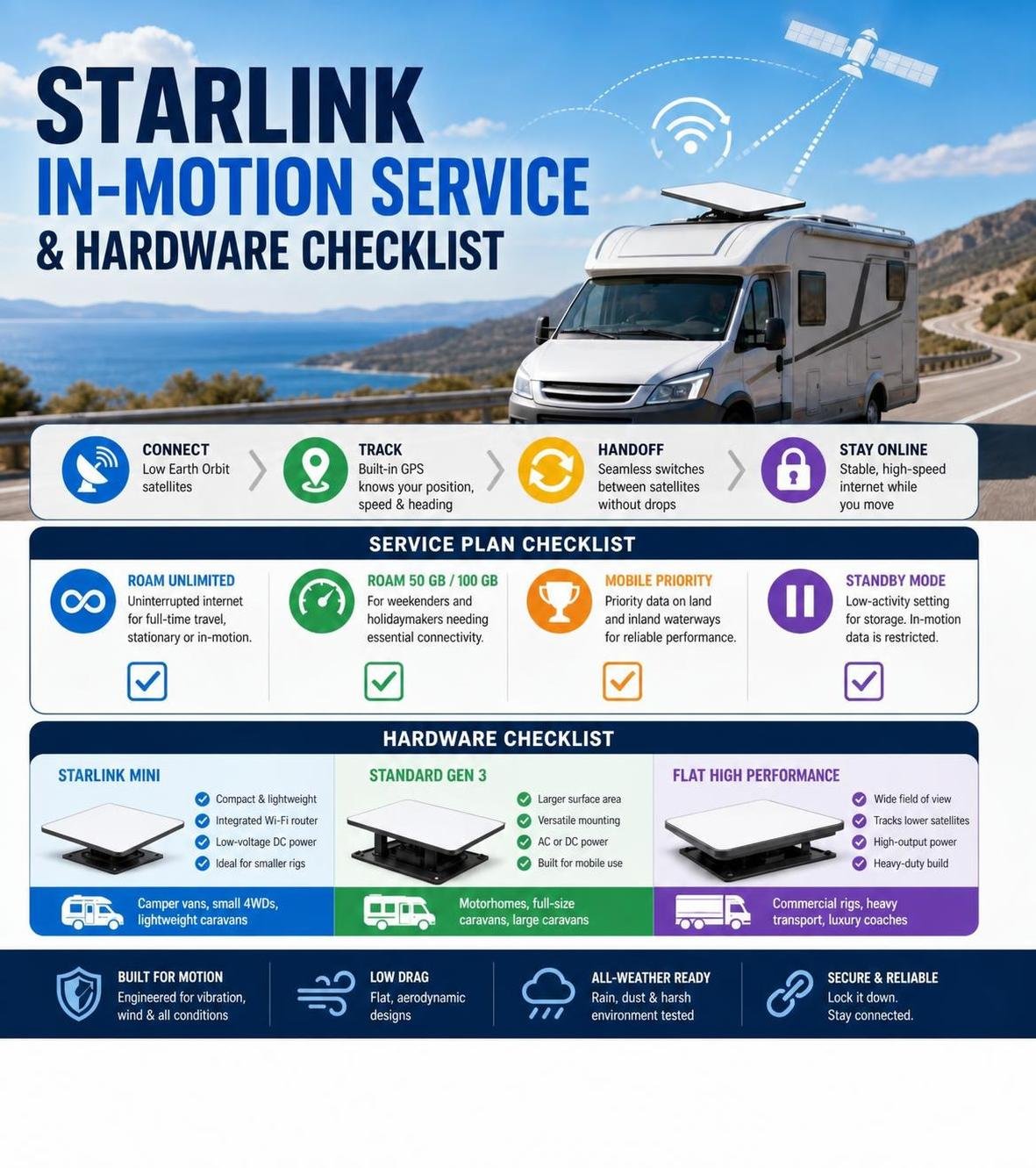
Selecting the right hardware comes down to your touring style, rig size, and aerodynamic constraints:
- Starlink Mini: A compact option for campervans, smaller 4WDs and lightweight caravans. Its built-in Wi-Fi router and small footprint make it a practical choice when roof space matters.
- Standard Gen 3: A versatile option for motorhomes and larger caravans. With a dedicated mobility mount, the dish can sit flat on a suitable roof surface or rack system for travel.
- Flat High Performance: Built for demanding commercial vehicles, heavy transport and larger coaches. Its wider field of view can help with satellite tracking, although its larger footprint and power requirements make it a specialised choice.
Which Starlink Service Plans Support Mobile In-Motion Use?
Hardware is only half of the equation; your Starlink service plan must also allow data access while the vehicle is in motion.
- Roam Unlimited: A practical option for full-time travellers who want connectivity at camp and while travelling around Australia.
- Roam 50 GB / 100 GB: Tiered plans for weekend trips and holidays when you mainly need navigation, messaging and everyday connectivity.
- Mobile Priority: A higher-tier option that provides priority data access on land and inland waterways, which can help in busy network cells.
- Standby Mode: A lower-activity setting for periods when the vehicle is off the road. Active in-motion data is restricted while the service is on standby.
What Are the Best Mounting Solutions for In-Motion RV Connectivity?
Keeping satellite hardware secure on a caravan, motorhome or 4WD means choosing a Starlink mount that can handle vibration, wind and changing weather. SpaceTek Australia designs mounting solutions from precision-machined aluminium, folded aluminium and reinforced composite materials for rough outback tracks and long highway runs.
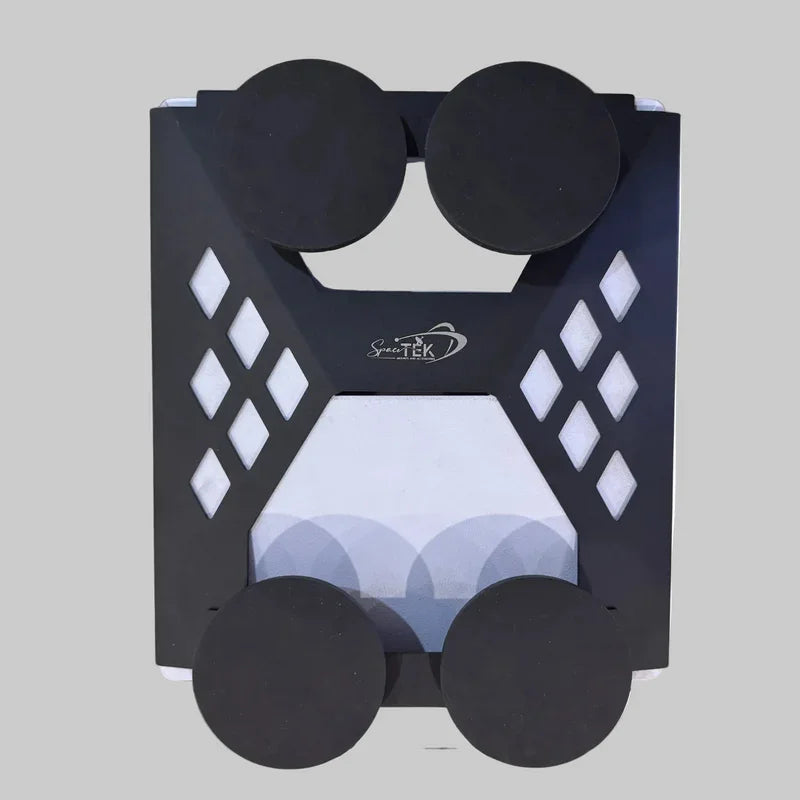
A look through SpaceTek’s All-Weather Starlink Mounts can help you find a secure option for the way you travel.

Choosing an RV Starlink Motion Kit for Ladder and Hitch Receivers
If your caravan or motorhome already has sturdy mounting points, ladder and tow-hitch receiver installations can avoid the need to modify the roof.
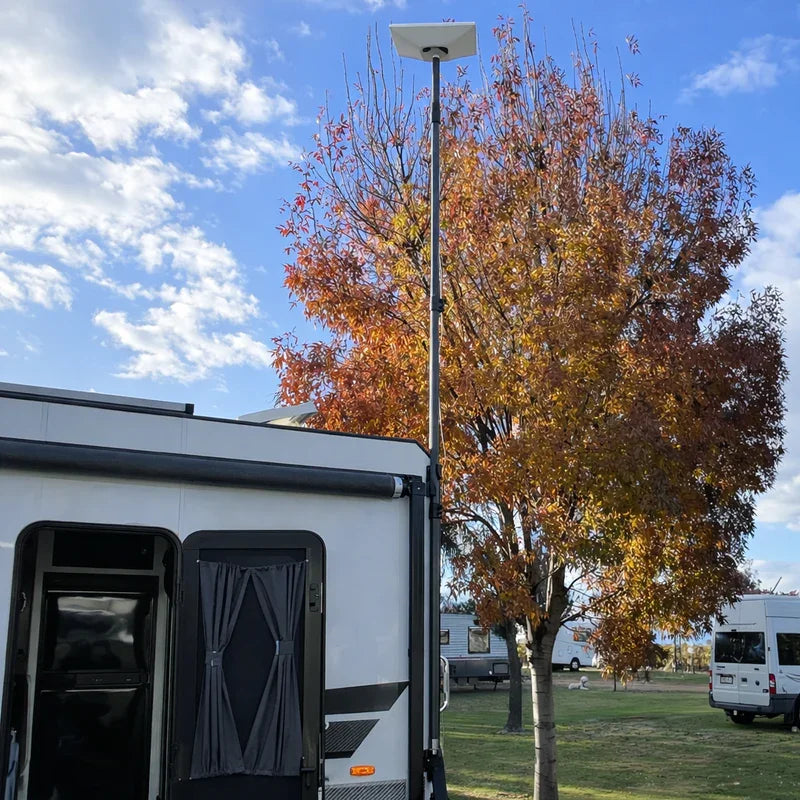
- Rear ladder Starlink mounts: Vertical ladders can provide an elevated mounting point. Securing an aluminium pole or dedicated Starlink mount to the ladder rungs positions the dish above the roofline when parked. Many setups can be lowered or folded for safe clearance before travelling.
- Tow-hitch receiver Starlink mounts: A standard rear receiver can provide a sturdy foundation for vertical telescopic poles. This approach suits caravans and trailers where roof access is limited, offering firm support without contacting the vehicle body.
Selecting a Low-Profile RV Starlink Motion Kit for Roof Racks and Flat Shells
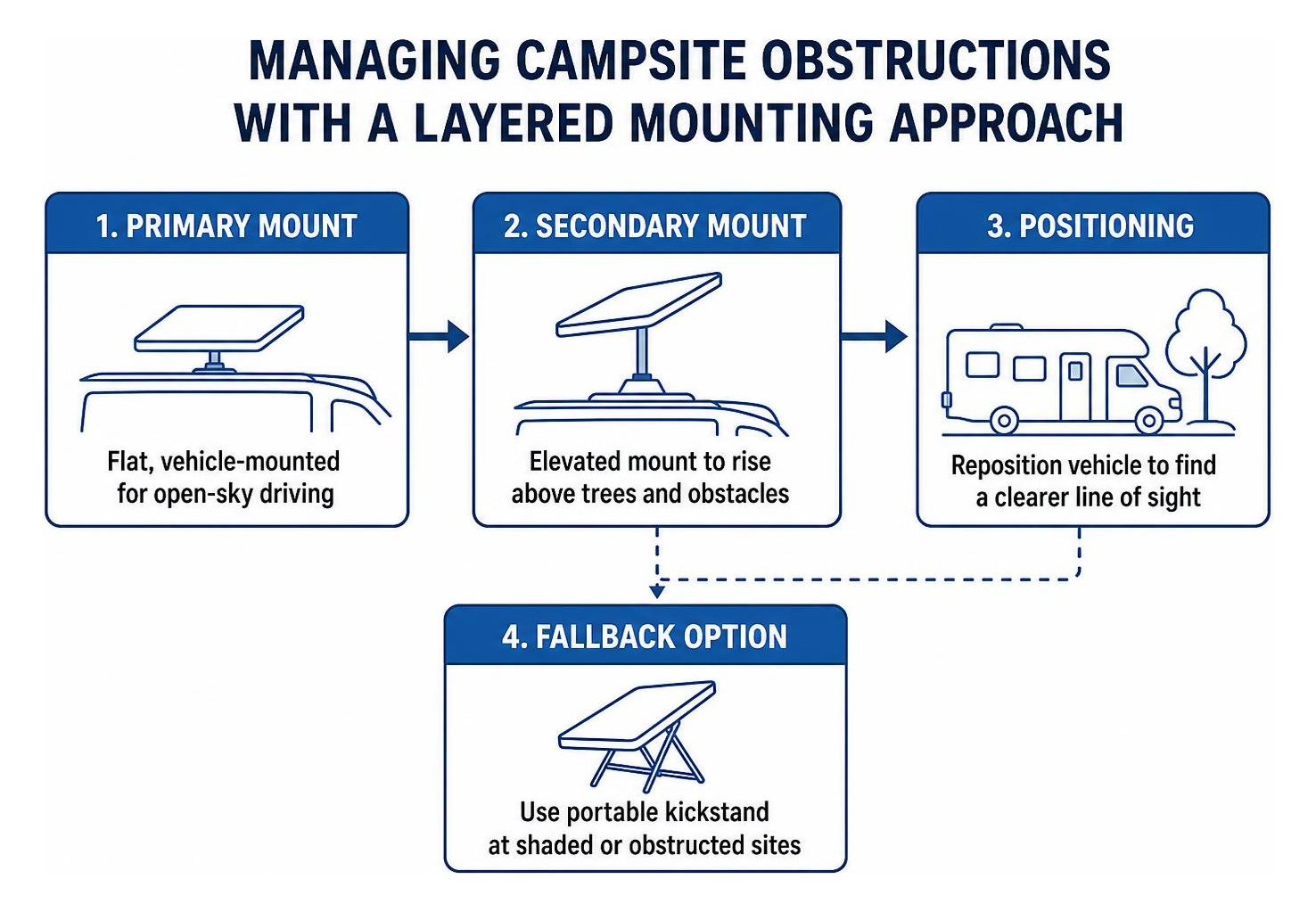
For a permanent in-motion setup, a low-profile roof dish mount is usually the most straightforward option. Keeping the dish flush to the vehicle reduces wind resistance and makes it less likely that low branches will catch the edges.
SpaceTek’s Starlink Mini Mobility Mount keeps compatible hardware close to roof racks, crossbars and composite roofs. For metal roofs, heavy-duty magnetic bases can offer firm holding power without drilling. On fibreglass or aluminium shells, engineered clamping systems and vehicle-grade structural adhesives can provide a secure fit while preserving weather seals.
When choosing a mounting position, think about solar panels, air-conditioning units and roof storage. A low-profile Starlink mount near the front or rear edge can often sit below the vehicle’s highest point, helping reduce clearance issues in car parks and under low branches. If you regularly move between open highways and heavily treed campsites, a portable fallback option can give you extra flexibility.
How Should You Power Your Starlink Hardware While Driving?
Powering your dish on travel days requires a stable electrical supply. Because an RV house battery system operates on direct current (DC), your power configuration directly impacts touring efficiency.

Why Direct DC-to-DC Power Outperforms Traditional Inverters
Standard mains power adapters use alternating current (AC), so many travellers run an onboard inverter while driving. That means converting battery power from DC to AC, then back to DC at the satellite power supply, which can waste energy and create extra heat inside enclosed cabinets.
Dedicated direct DC-to-DC power solutions, including SpaceTek’s StarPower V2 and StarPower V3 DC power supplies, can offer clear advantages over standard AC inverters:
- Higher efficiency: Direct conversion avoids unnecessary power changes and helps conserve auxiliary battery capacity on long travel days.
- Lower continuous draw: It can reduce idle power waste and help your off-grid electrical system run more efficiently.
- Clean voltage regulation: A suitable power supply helps protect sensitive satellite electronics from alternator fluctuations.
- Router-bypass integration: It can support an energy-efficient third-party router or direct Ethernet network for a customised setup.
Battery Draw Considerations and Power Integration
When sizing your RV electrical setup for in-motion Starlink use, account for continuous power requirements during multi-hour drives. Charging from vehicle alternators or rooftop solar arrays helps maintain battery levels.
Essential components for an integrated mobile setup include:
- A dedicated StarPower V2 or V3 DC power conversion supply matched to your hardware
- Heavy-duty, UV-stabilised outdoor Ethernet cabling
- Watertight cable entry seals for weather-resistant exterior routing
- Protective inline fusing connected close to the auxiliary battery
- A portable fallback dish mount or kickstand for shaded campsites
If you spend long days behind the wheel, direct DC-to-DC power can make the setup easier on your auxiliary battery system. Pair it with sensible cable routing that keeps connections away from heat sources and moving suspension components, and you will have a more dependable setup for extended remote travel.
What Speeds and Obstructions Should You Expect While Moving?
Real-World Highway Speeds and Network Reliability
At normal highway speeds, a flat-mounted Starlink dish can provide responsive broadband. Because the dish switches its signal electronically, vehicle speed has limited impact on how the connection feels in open conditions.
That can make it easier for passengers to join video calls, stream media and use cloud-based navigation while you travel. Signal handovers between satellites happen automatically in the background.
Tree Canopies, Overpasses, and Minimising Dropouts
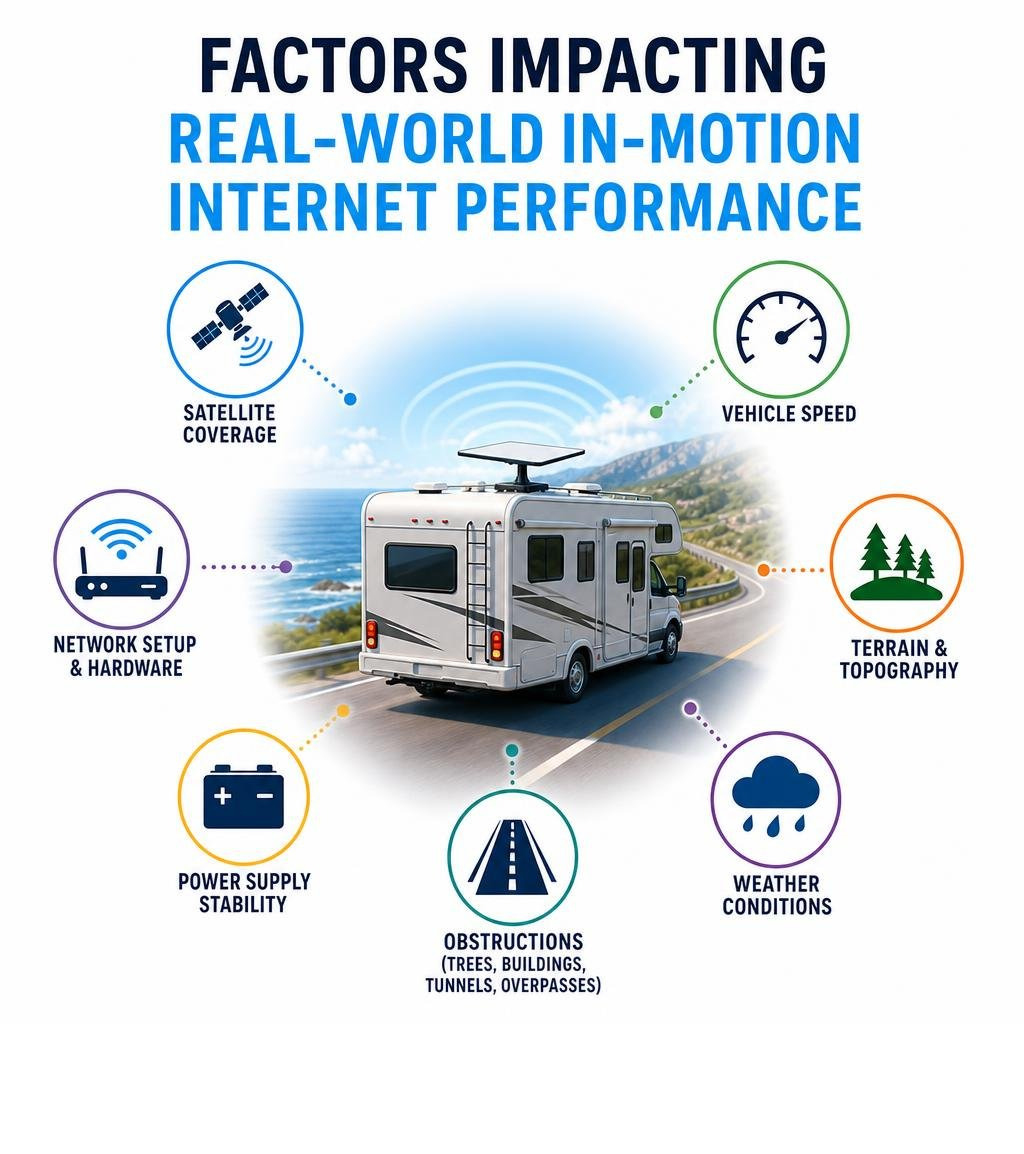
Satellite internet requires an unobstructed line of sight to the sky. While open roads offer continuous connectivity, real-world driving environments present temporary physical blockages:
- Highway overpasses and bridges: These can cause brief dropouts that streaming buffers often handle without much disruption.
- Dense tree canopies: Roadside bush and overhead branches can intermittently block the signal, which may interrupt a live call.
- Mountain passes and valleys: Steep terrain can temporarily block satellites low on the horizon until the road opens up.
Knowing these limits helps you set realistic expectations for in-motion connectivity. The dish mount cannot overcome a physical obstruction, but a correctly positioned low-profile Starlink mount gives the dish the clearest possible view of the sky. If you often travel through dense bush or narrow valleys, it is wise to plan connectivity-critical tasks for more open stretches of road.
Frequently Asked Questions About In-Motion RV Internet
Can you use a standard Gen 3 dish in-motion without a high performance dish?
Yes. When secured in a flat, vehicle-rated Starlink mount and paired with an active Roam plan, the Standard Gen 3 hardware operates reliably while driving. Its flat profile allows it to maintain an effective electronic beam angle across open highway routes.
How do you mount Starlink on an aluminium or fibreglass caravan roof without drilling?
Curved aluminium and fibreglass caravan roofs need no-drill mounting techniques. Common approaches include attaching to existing roof rails, using heavy-duty suction mounts on smooth fibreglass sections, or securing pole dish mounts to rear bumpers and frame components.
What happens if you drive into heavy tree cover with a roof-mounted dish?
When overhead obstacles block the dish’s view, the connection will drop until you clear the foliage. For overnight stops in heavily treed campsites, a portable dish mount with an extended cable lets you position the dish in an open clearing away from the vehicle.
Does an RV Starlink motion kit work with all Starlink service plans?
No. In-motion data access requires a mobile-enabled plan such as Roam Unlimited, Roam 50 GB, Roam 100 GB, or Mobile Priority. Plans in Standby Mode restrict active data while the vehicle is moving, so checking your current subscription before a trip is essential.
How much power does an in-motion Starlink setup draw while driving?
Power draw varies by dish model and whether you use a direct DC-to-DC power supply or an AC inverter. Direct DC conversion is more efficient and reduces continuous current draw compared to inverter-based setups, which helps preserve auxiliary battery capacity on long travel days.
Get Ready for Reliable In-Motion Starlink
Setting up your caravan, motorhome or 4WD for in-motion satellite internet can make remote travel feel far more connected. Pair compatible hardware with efficient direct DC power and a rugged dish mount, and you will be better prepared for stable internet on remote tracks and open highways.
SpaceTek Australia engineers precision-machined aluminium and reinforced composite mounting solutions for tough touring conditions. When you are ready to choose the right dish mount and power configuration for your setup, Contact Our Team for practical advice.

Leave a comment
This site is protected by hCaptcha and the hCaptcha Privacy Policy and Terms of Service apply.