
How Starlink Performs in Bad Weather (The Short Answer)
%20(16)_compressed.webp?alt=media&token=d40ba8ae-9eb1-4f50-b2e4-93d64fd78f56 "Starlink dish mounted on a home during heavy rain and strong winds")
Does Starlink work in bad weather? It is designed for outdoor use and often remains usable in ordinary rain, wind, and winter weather, but significant weather can reduce performance or cause momentary dropouts. Starlink does not guarantee uninterrupted service.
- Clouds and light rain: Often have little noticeable effect, although results vary by location and current conditions.
- Moderate to heavy rain, snow, or hail: Can weaken the radio link and cause slower service, higher latency, packet loss, or brief interruptions.
- Snow: Supported dishes include Snow Melt functionality, but snowfall can exceed the melting rate and snow around the dish can obstruct its view.
- Strong winds: Performance depends on the dish model, mount, structure, fasteners, and exposure. Flying debris and movement can damage or obstruct the equipment.
- Power outages: The dish, router, and power supply require electricity. Weather resistance does not provide backup power.
Weather is only one part of the picture. Obstructions, network demand, service plan, location, power quality, cable condition, and WiFi performance can also affect speed and latency.
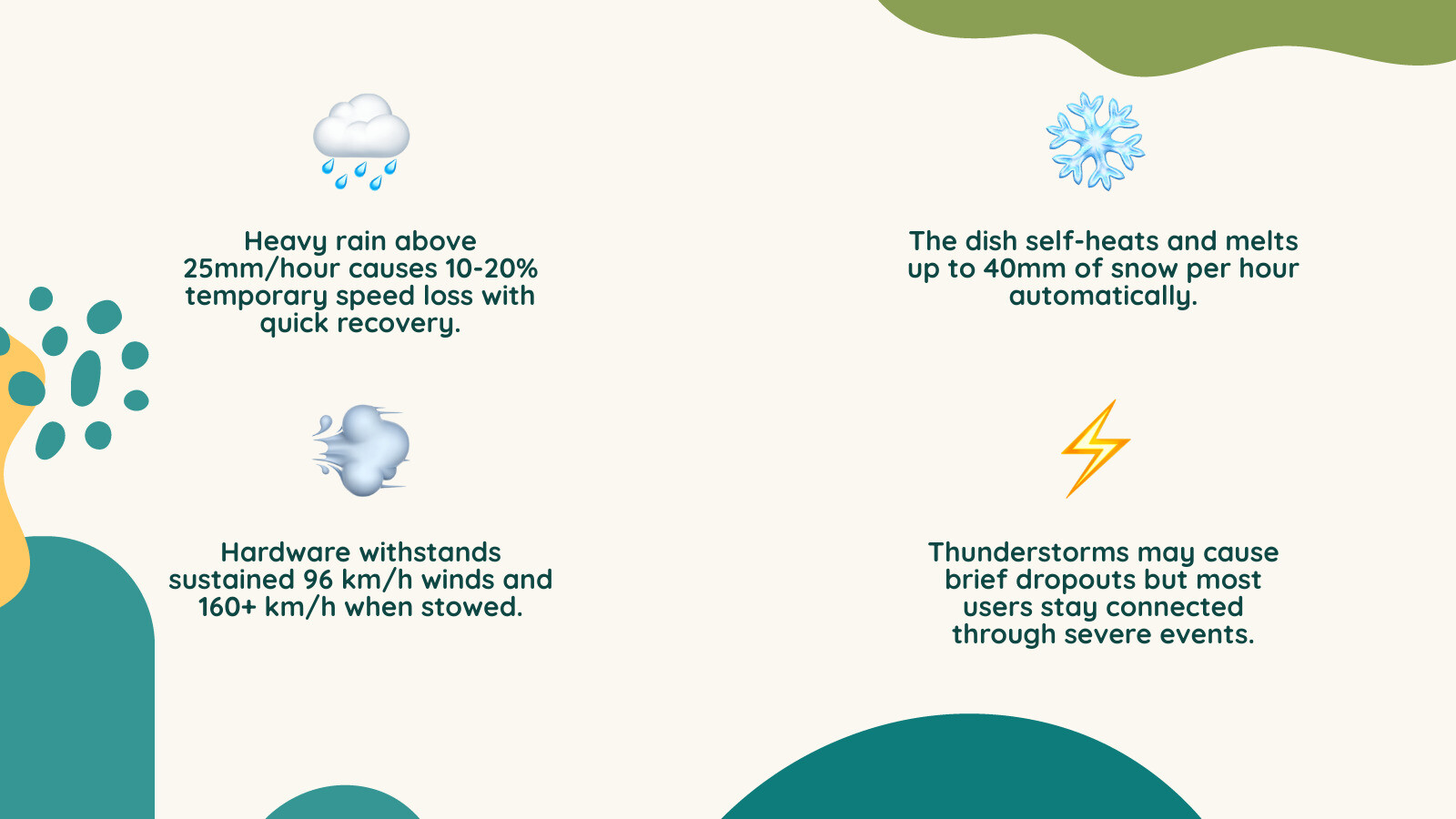
Does Starlink Work in Heavy Rain, Snow, Thunderstorms, and Hurricanes?
It may continue operating, but no installation should be expected to provide guaranteed continuity through severe weather. Rain, snow, hail, damage at a ground station, power loss, obstructions, and physical damage at your property can all interrupt service.
Heavy Rain and Storm Systems
Water in the signal path can attenuate the radio link between the user terminal and the satellite. As rainfall becomes heavier, you may see reduced throughput, increased latency, packet loss, or momentary outages. The effect and duration cannot be predicted from rainfall alone.
If service remains poor after the weather has passed, check the Starlink app for outages and alerts, inspect the obstruction map, and look for cable or hardware damage from a safe location. See our guide to Starlink on rainy days for more troubleshooting context.
Snow and Ice Conditions
Starlink's Snow Melt feature uses additional electrical power to warm supported dishes. In Automatic mode, the system detects snowy conditions and heats when needed; available settings can vary by model and software version. This feature can reduce accumulation, but it is not a guarantee that the dish will remain clear in every storm.
- Heavy accumulation: Snowfall can exceed the dish's melting capability, temporarily degrading service.
- Blocked sky view: Drifts or snow around the installation can obstruct the dish even when its face is clear.
- Ice and runoff: Meltwater can refreeze below the dish and form icicles. Keep people and property away from the fall area.
- Power use: Snow Melt increases consumption, which matters for battery-backed and off-grid systems.
Do not climb onto a snowy or icy roof, strike or scrape the dish, use an open flame, pour hot water on it, or apply a cover or coating. If accumulation cannot be addressed safely from the ground, wait for safe conditions or contact a qualified professional. Review our winter preparation guide.
Thunderstorms and Lightning
Heavy precipitation within a thunderstorm can degrade the signal. Lightning and utility surges can also damage powered equipment. A Starlink dish should not be described as a lightning rod, and a plug-in surge protector alone cannot guarantee protection from a direct or nearby strike.
Follow Starlink's installation instructions and applicable local electrical and building requirements. Grounding, bonding, roof work, and surge-protection decisions should be made by qualified professionals where required. Never touch outdoor equipment, connectors, or wiring during a thunderstorm.
Hurricanes and High-Wind Events
A dish's published wind specification is model-specific and is not a rating for the roof, wall, pole, fasteners, adapter, or complete installation. For example, Starlink currently lists the Standard antenna as operational at 60 mph (96 km/h) or more, but that value should not be treated as a guarantee of operation or survival in a hurricane.
Wind-driven debris, flooding, loss of power, structural movement, and damage to cables can interrupt service even if the antenna remains attached. Before a forecast severe event, follow official emergency guidance. Bring portable equipment and loose cables indoors only if Starlink's instructions allow it and there is ample time to do so safely. Never climb or remove roof-mounted hardware as a storm approaches.
Heat, Cold, and Equipment Ratings
Check the specification sheet for your exact Starlink model rather than applying one limit to every kit. The current Standard antenna specification lists an operating range of -22°F to 122°F (-30°C to 50°C), an IP67 Type 4 environmental rating, and Snow Melt capability of up to 1.5 inches per hour (40 mm per hour). Other dishes, routers, and power supplies can have different ratings.
An IP or Type rating applies only to the listed product in the tested configuration. It does not make damaged connectors, cut cables, third-party adapters, indoor equipment, roof penetrations, or the overall installation waterproof. Keep the router and power equipment in the environment specified for that component, keep ventilation clear, and do not enclose equipment in a way that traps heat.
Obstructions, Speed, Latency, and IP Addresses
Weather is not always the cause of a slowdown. Trees, buildings, snowbanks, debris, or a shifted installation can block part of the dish's required sky view and create repeated interruptions. Use the Starlink app's obstruction tool from the proposed installation position and review the live obstruction map after setup.
Do not diagnose weather from a single speed test. Compare several tests over time and distinguish the Starlink-to-internet result from the device-to-router WiFi result where the app provides both. Actual download speed, upload speed, and latency vary with location, time, service plan, network demand, WiFi conditions, and weather; stated speeds and uninterrupted service are not guaranteed.
A change in public IP address or geolocation is not, by itself, evidence of weather damage. Starlink may use shared addressing or assign an address whose mapped location differs from your physical location. If geolocation is wrong, use Starlink support and the affected website or service's correction process. Do not rely on an IP address as proof of the dish's exact location.
How Mounts, Installation, and Accessories Improve Weather Readiness
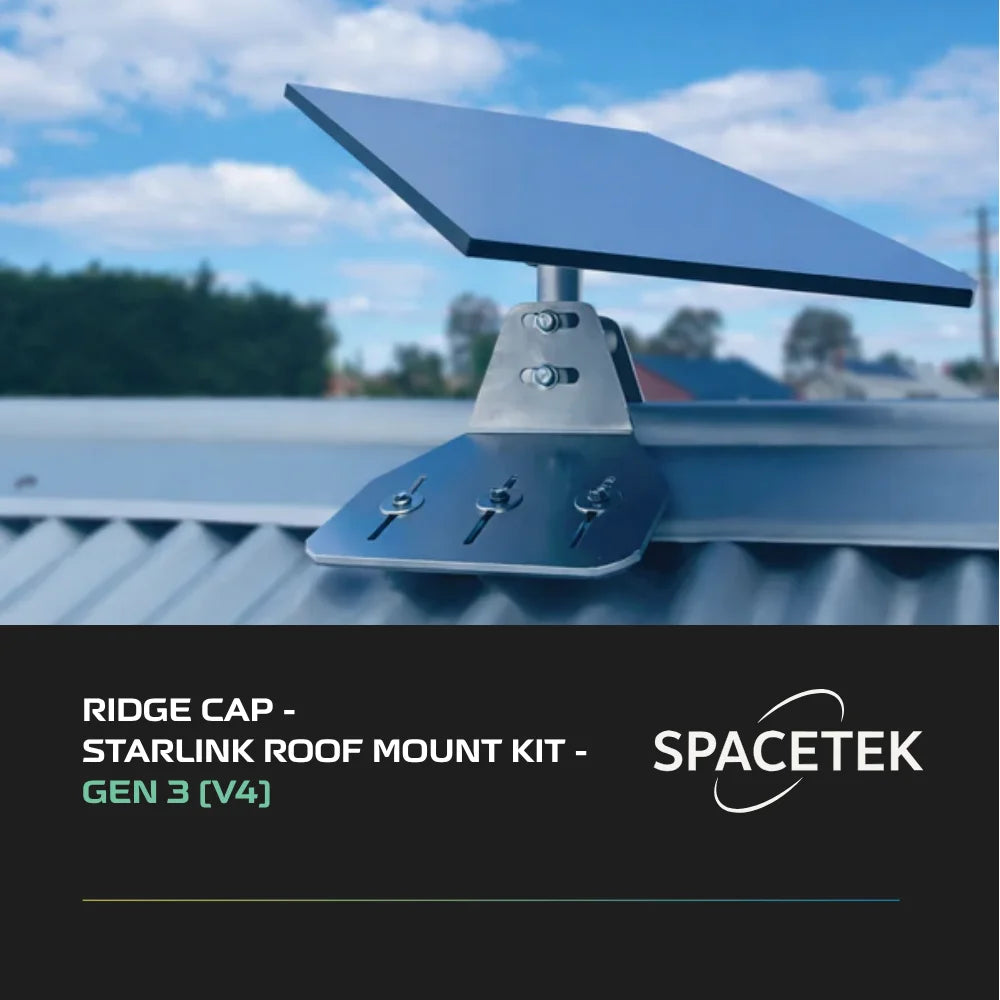
A correctly selected and installed mount can reduce avoidable movement and help preserve the dish's required sky view, but no mount can prevent radio attenuation, utility outages, debris impact, flooding, or every storm-related interruption.
_compressed.webp?alt=media&token=4bc4af4a-6f9c-481c-af19-902724d360bb "SpaceTek metal roof mount supporting a Starlink dish during stormy weather")
Choose and Install the Mount Carefully
- Confirm compatibility with the exact dish generation and mast or adapter dimensions.
- Have the supporting structure, wind exposure, fasteners, corrosion environment, and waterproofing assessed for the property.
- Follow the mount and Starlink installation instructions; do not assume a generic attachment detail suits every roof or wall.
- Use a qualified roofer, contractor, electrician, or other licensed professional when the work or local code requires one.
Explore Starlink roof, wall, and pole mounts, including Gen 3 / V4 mounts and accessories. Product suitability still depends on the building, exposure, dish model, and installation method.
Protect Cables, Connectors, and Penetrations
Route and secure cables according to the manufacturer's bend, strain-relief, and environmental instructions. Preserve factory seals, keep connectors fully seated, and use a properly designed, flashed, and sealed building penetration. A bead of sealant alone should not be assumed to be a complete roof-flashing system.
Do not connect wet cable ends. If a disconnected end is exposed, protect it from water as directed by Starlink and allow it to dry fully before reconnection. Replace damaged cables with compatible parts; browse Starlink cables and connection accessories.
Before, During, and After Severe Weather
Before Severe Weather
- From a safe location, check for loose hardware, corrosion, cable abrasion, damaged seals, and growing obstructions.
- Confirm the router, power supply, battery system, and any surge equipment are installed within their published ratings.
- Keep account access and Starlink support details available on another device.
- If connectivity is critical, maintain an independent backup communication method. Do not make Starlink your only emergency channel.
During Severe Weather
- Follow instructions from local emergency authorities.
- Stay off roofs, ladders, poles, and wet surfaces. Do not adjust the dish outdoors.
- Do not handle plugs or electrical equipment with wet hands or while standing in water.
- Use backup power only according to the generator, battery, inverter, and Starlink manufacturers' instructions. Never run a fuel-powered generator indoors or in an enclosed area.
After Severe Weather
- Wait until conditions are safe before inspecting anything outdoors.
- Check the Starlink app for an outage, offline reason, obstruction data, and alerts.
- Visually inspect the dish, mount, cable, connectors, and building penetration without climbing into an unsafe area.
- If equipment is damaged, wet where it should be dry, or electrically suspect, disconnect it only if safe and contact Starlink support or a qualified professional.
For persistent issues, use our Starlink troubleshooting guide.
Does Starlink Work Without Electricity?
No. The dish and networking equipment require a compatible power source. If utility power fails, Starlink goes offline unless the complete system is supplied by properly sized backup power.

Runtime depends on the dish model, Snow Melt use, battery capacity and condition, conversion losses, temperature, and other connected loads. Confirm voltage, current, connector, grounding, fuse, cable size, and model compatibility before using third-party DC equipment. A battery or generator does not guarantee internet service if the Starlink network, sky path, or hardware is affected.
FAQ: Starlink Weather Performance
Does Starlink work in heavy rain?
It can, but moderate to heavy rain may cause slower performance or momentary dropouts. The severity and duration vary, and uninterrupted service is not guaranteed.
Does Starlink work in snow?
Supported dishes include Snow Melt functionality, but heavy snowfall can exceed the melting rate or obstruct the dish's sky view. Do not use unsafe manual snow-removal methods.
Does Starlink work during thunderstorms?
It may remain online, but heavy precipitation, power disturbances, or storm damage can degrade or interrupt service. Do not handle outdoor equipment during lightning.
Does Starlink work in hurricanes or strong winds?
Do not assume it will. Published antenna wind figures are model-specific and do not certify the complete installation for hurricane conditions. Prioritize life safety and official emergency instructions.
Does cloudy weather affect Starlink?
Ordinary cloud cover often has little noticeable effect, but moisture-rich storm systems and heavy precipitation can attenuate the signal. Actual performance varies.
Can heat affect Starlink?
Yes. Every component has an operating-temperature range. Direct sun, ambient heat, poor ventilation, and an unsuitable enclosure can raise equipment temperature. Check the specification for your exact dish, router, and power supply.
Does Starlink work without electricity?
No. It requires compatible electrical power. Backup systems can supply power when correctly sized and installed, but they cannot guarantee connectivity.


Leave a comment
This site is protected by hCaptcha and the hCaptcha Privacy Policy and Terms of Service apply.